The short answer
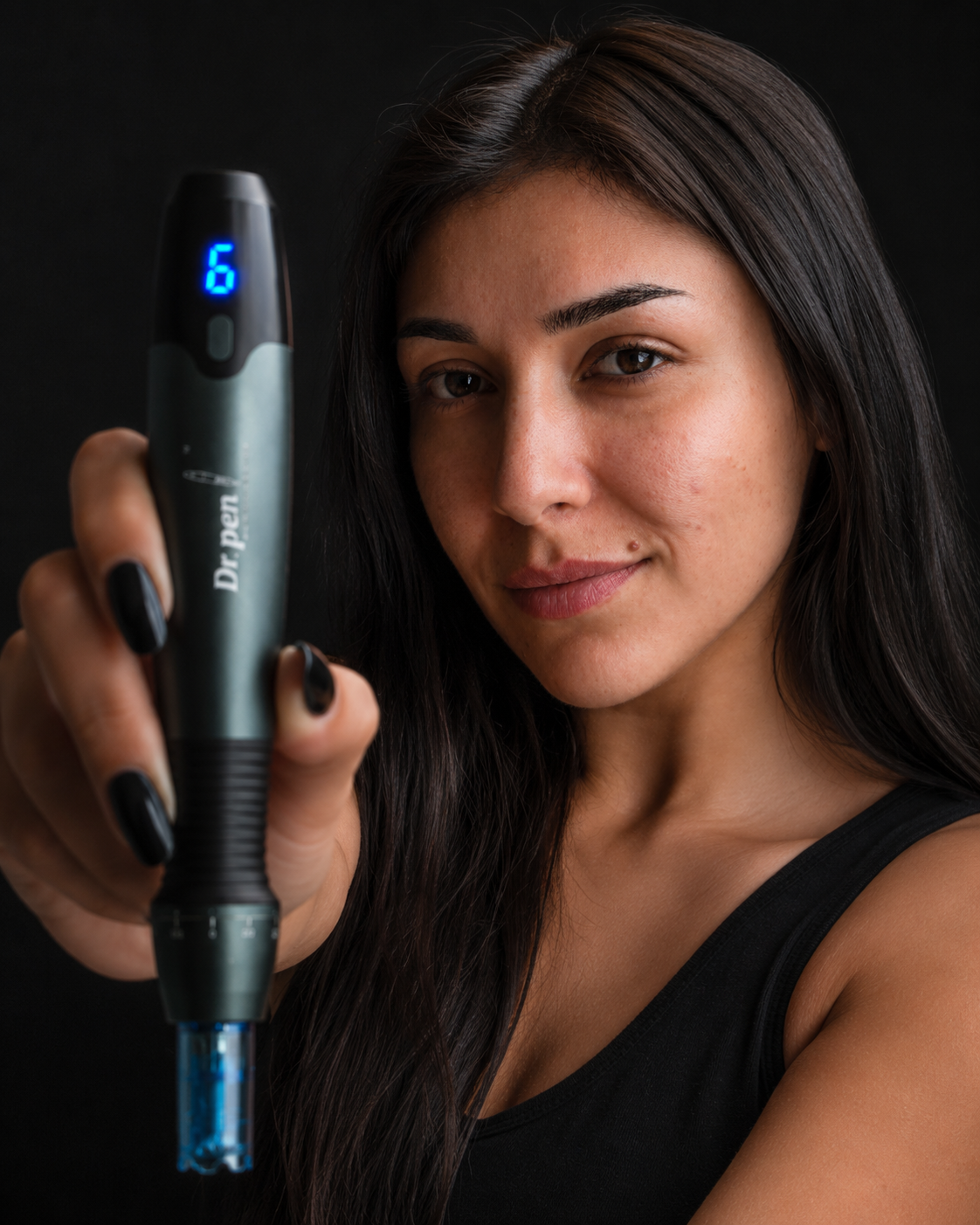
When a Dr. Pen A20 stops behaving, the cause is almost always one of four things: the battery is flatter than it looks, the cartridge is not fully locked into the three-lock connection, the depth is set lower than assumed, or a used cartridge is dragging on the skin. Charge fully on the dock, fit a fresh A20 cartridge until all three locking points engage, check the depth on the display, and retest at 1.0mm. That resolves the large majority of A20 faults, and if it does not, we are happy to look at it with you.
We have been an authorised Dr. Pen stockist for seven years and talk people through their A20 most days. The pattern is consistent: the device is rarely broken. It is usually a charge state, a seating issue, or a setting doing what it was told to do.
One point explains a surprising number of "faults". The A20 has nine fixed depth steps from 0 to 2.0mm in 0.25mm increments, and its six speed levels, up to 7,700 RPM, change how the needles glide and how comfortable a pass feels. Speed does not change depth, so if a treatment feels too shallow or too intense, adjust depth.
Start here: the three-minute reset
- Charge on the dock until the display shows full — a partial charge is the most misleading state an A20 can be in.
- Fit a fresh A20 cartridge and rotate until you feel the three-lock connection engage.
- Remove the protective sleeve, set 0.25mm at speed level 1, and run the pen in the air.
- Step up to 1.0mm against a light background — travel should visibly increase.
Symptom, likely cause and fix at a glance
| Symptom | Usually happening | Fix |
|---|---|---|
| Will not switch on | Battery fully depleted, or dock contact not made | Full charge cycle, then the Type-C cable direct |
| Charge does not hold | Underpowered adapter, or higher speeds draining the cell | Use the supplied adapter, start sessions at full |
| Cartridge loosens | Three-lock connection part-engaged, or a non-A20 cartridge | Refit squarely until all three points seat |
| Needles not visible | Depth near 0, or the sleeve still fitted | Remove the sleeve, check travel at 1.0mm |
| Motor sounds laboured | Low battery, dry skin, or a used cartridge | Recharge, add glide, fit a fresh cartridge |
| Depth reverts | Powered off between sections, returning to its start value | Reset depth after each power-on |
| Display dim or unclear | Low charge, or serum residue | Charge fully, wipe with a damp lint-free cloth |
| Uneven coverage | Overlap and pressure varying | Small sections, light contact, four directions |
| Tracking marks | Pen moving while needles are in the skin | Raise the speed, add glide, lift to turn |
| Device feels warm | Extended run at a higher speed level | Pause between sections |
The device will not switch on
Nine times in ten this is a completely flat 700mAh battery rather than a fault. A cell left unused for weeks can fall below the point at which the display will even illuminate, so the pen looks dead while it is waiting for charge. Sit it squarely on the dock so the contacts meet and leave it for a full cycle. If the dock shows nothing, try the supplied Type-C cable straight into the handpiece, then a different socket. Laptop ports and low-output plugs deliver less current than the supplied adapter and can leave the pen trickling.
It will not hold charge, or will not charge on the dock
The 700mAh cell is generous for a device this size but not limitless. The upper speed levels draw more current, so a session at level 5 or 6 uses more charge than one at level 2. Starting from full is the difference between finishing comfortably and watching the display drop mid-session.
When charging seems not to happen, look at the contacts. Serum and moisturiser transfer easily from fingers to the base of the handpiece and sit between the contacts; a dry lint-free cloth on the base and the dock clears it. Charge at normal room temperature, as cold slows lithium charging. Storage matters too: a pen left for months at a very low charge holds less usable capacity, so a top-up every few weeks keeps the cell healthier.
The cartridge will not seat, or keeps loosening
The A20 uses a three-lock cartridge connection with an anti-backflow interface, and a correctly fitted cartridge is secure. When one loosens mid-pass, it is nearly always because only one or two of the three locking points engaged. Push it on squarely rather than at an angle and rotate until it stops firmly — there is a distinct point at which it seats.
The second cause is fit. Dr. Pen builds each cartridge to match a specific handpiece — A20 cartridges fit the A20, M8 cartridges fit the M8, and so on. A cartridge from another model may push on far enough to feel plausible while never truly locking, which presents as wobble or a changed motor note. Our 12-pin and 14-pin A20 cartridges are the two most used; the range also covers 18, 24, 36, 42 pin and nano square. If you are unsure what is in your drawer, send us a photo and we will confirm it for you.
Cartridges are single use. One that has been through a treatment has blunted tips, and refitting it produces the symptoms people describe as a device fault. Our guide to Dr. Pen cartridges covers the ranges.
The needles are not visible, or not extending
Start with the protective sleeve. The kit includes ten, and they are easy to leave on because they are close to invisible in normal light. With a sleeve fitted the device runs perfectly and simply never reaches the skin.
Then check the depth. At 0 the needles sit flush by design, and at 0.25mm the extension is genuinely small. Hold the running pen against a light background and step up to 1.0mm, where travel is clearly visible. AVOS vertical oscillation drives the needles straight up and down, so you are looking for a clean shimmer at the tip. If the display changes but nothing moves, fit a fresh cartridge before judging the handpiece — a damaged internal housing can absorb the whole travel.
The motor sounds different or laboured
A change in motor note is information rather than a warning. The most common cause is a falling battery: the motor cannot sustain the same RPM as voltage drops, and the pitch sags with it. The second is friction — the A20 glides on a well-hydrated surface, and skin gone tacky as serum absorbs will load the motor audibly. Reapplying serum restores the sound, and our walkthrough on microneedling at home covers how much glide to use. The third is the cartridge: one past its single use, or not fully locked, changes the load, and fitting a fresh one is a five-second test.
The depth setting will not change, or reverts
The nine depth steps are deliberate stops rather than a continuous slider, so adjustment moves in defined increments and the display shows the value you land on. If the number will not move, check that a cartridge is fitted and locked, since the mechanism works through the seated cartridge. Reverting is usually a power cycle: if the device switches off between sections, the depth returns to its starting value, so glance at the display after every power-on.
The display is not reading correctly
When the LED display misbehaves, the cause is usually charge or residue. A low battery can dim the screen or make digits look incomplete, so charge to full first. Serum and moisturiser dry to a haze that scatters light from the segments; a barely damp lint-free cloth clears it, keeping liquid away from the ports and the cartridge connection. If a value does not match what you set, power down completely, wait a few seconds, then set depth and speed again.
Coverage looks uneven afterwards
Uneven results almost always come from the pattern of passes rather than the device. The A20 oscillates at a consistent rate, so the variable is how the pen travels and how much each pass overlaps.
- Divide the face into small sections and finish one before moving on.
- Work each section in four directions — horizontal, vertical and both diagonals — with light contact.
- Let the device set the pace. Pressing harder does not increase depth, and it does make coverage less consistent.
- Keep enough serum on the surface, topping up as it absorbs.
- Match pin count to the area: higher counts cover broad areas, lower counts suit contoured regions.
Our guide on how to use the Dr. Pen A20 sets a full session out in order, which is the quickest way to make coverage repeatable.
Tracking marks appearing on the skin
Tracking marks are fine lines following the direction the pen travelled, and they happen when the needles are still in the skin as the device moves sideways. Raising the speed level helps, because a higher oscillation rate means more cycles per centimetre travelled, and more serum helps for the same reason. Lifting the pen slightly to change direction, rather than pivoting it while in contact, removes what remains; lighter pressure and a slower hand help too. If marks appear, they typically settle over the following days with gentle aftercare — keep the area clean and moisturised, and leave actives aside until the skin is comfortable.
Unexpected pain during treatment
Discomfort out of proportion to what you expected is worth pausing for. Depth is the first explanation: the gap between 0.5mm and 1.5mm is substantial, and skin over bone such as the forehead feels a given depth more than fuller areas. Dry skin is the second — without enough glide the needles drag rather than enter cleanly, which reads as sharpness. The third is a used cartridge, where blunted tips need more force.
Skin condition matters too. Active acne, broken skin and already irritated areas are best left to settle before you treat them, both for comfort and for a better result. If one area is consistently uncomfortable at a depth that is fine elsewhere, that is a signal to go shallower there.
More bleeding than expected
Pinpoint bleeding at deeper settings is a recognised part of how microneedling works and is not in itself a problem. What is worth responding to is bleeding heavier than pinpoint, bleeding that continues after you finish, or bleeding at a depth where it did not occur before.
The usual causes are depth set higher than the area suits, pressure applied on top of the needle depth, repeated passes over one spot, or a thin area such as around the eyes treated at a general-purpose depth. Stop, apply light pressure with clean gauze, and let the skin settle; when you return, go a step shallower. Blood-thinning medication and some supplements also increase bleeding, one reason a conversation with your doctor beforehand is worthwhile.
The device feels hot
Mild warmth after an extended run is normal, particularly at higher speed levels where the motor works hardest. A handpiece that feels warm after twenty minutes at level 5 is behaving as expected. Working in sections with brief pauses keeps temperatures down, and a pen warm off the dock is simply a battery that has just been charged. Heat that arrives quickly, is uncomfortable to hold, or comes with an unusual smell or noise is worth stopping for and speaking to us about.
When to contact us
- No response after a full charge on both the dock and the direct Type-C cable.
- The needles do not extend with a fresh, correctly locked cartridge at 1.0mm.
- The display stays blank, or values will not change after a full power cycle.
- The device becomes uncomfortably hot quickly, or produces an unusual smell or noise.
- You are unsure whether your cartridges are the A20 version — send a photo and we will confirm it for you.
- Anything about the device that does not feel right to you.
A short video is the most useful thing you can send: the display, the cartridge going on, and the pen running. A few seconds of footage usually settles it. Current pricing for the Dr. Pen A20 and cartridges is on the product page.
Frequently asked questions
Why is my Dr. Pen A20 not turning on?
Almost always a fully depleted 700mAh battery. Seat it squarely on the dock and leave it for a complete charging cycle. If the dock shows nothing, use the supplied Type-C cable and adapter directly and try a different socket. If there is still no response after a full charge by both routes, contact us.
Can I use M8 cartridges on my A20?
No. Dr. Pen builds each cartridge to match a specific handpiece — A20 cartridges fit the A20, M8 cartridges fit the M8, and so on. A cartridge from another model may push on far enough to feel plausible while never fully engaging the three-lock connection, showing up as wobble or a changed motor sound. If you are unsure what you have, send us a photo and we will confirm it for you.
Why do my needles not appear to come out?
Check that the protective sleeve has been removed, then check the depth. At 0 the needles sit flush by design and at 0.25mm the movement is very small. Run the pen against a light background at 1.0mm, where travel is clearly visible. If nothing moves with a fresh, locked cartridge, get in touch.
Does a higher speed setting mean deeper needling?
No. The six speed levels, up to 7,700 RPM, change how smoothly the needles glide and how comfortable a pass feels. Depth is set separately, through nine fixed steps from 0 to 2.0mm in 0.25mm increments. If a treatment feels too shallow or too intense, adjust depth rather than speed.
Can I reuse a cartridge if it still looks clean?
Cartridges are single use. Even one that looks fine has blunted tips after a treatment, and reusing it commonly presents as a laboured motor, unexpected sharpness or uneven coverage — symptoms easily read as a device fault.
Is the Dr. Pen A20 FDA approved?
The A20 has FDA 510(k) clearance, which is not the same as FDA approval. Clearance means the device was found substantially equivalent to a legally marketed predicate device. Our full A20 review covers the specification in more detail.
Please speak with your doctor before purchasing any Dr. Pen product. This content is not intended to substitute for the advice of a qualified physician, pharmacist or other licensed healthcare professional.