The most useful dr pen tips focus on what makes treatment preparation repeatable: the correct cartridge, an intact sterile package, a properly maintained device and a clear record of what happened. A more powerful pen or a higher setting cannot compensate for gaps in those basics.
This guide covers product checks, hygiene and documentation rather than needle-depth prescriptions or instructions for performing invasive microneedling at home. For treatments that puncture skin, work with an appropriately licensed, trained healthcare professional. Consistency should mean a controlled process, not an attempt to produce the same redness or bleeding every time.
Set safe boundaries before choosing settings
The FDA’s guidance on microneedling devices explains the potential risks, including infection, bleeding, pigment changes and scarring. It recommends seeking a healthcare provider specially trained in microneedling.
Buying a device does not establish that it is suitable for self-treatment. Check the exact model’s instructions, intended users and regulatory status in your country. Likewise, a product description is not a personalized treatment plan.
The practical goal is to remove avoidable uncertainty before treatment begins, then preserve enough information to identify problems afterward.
10 dr pen tips for a cleaner, more consistent workflow
1. Recheck skin suitability before every appointment
A treatment plan that was appropriate previously may not be appropriate today. New breakouts, irritated skin, sunburn, an active cold sore or another infection can change whether treatment should proceed.
Tell the treating clinician about medications, recent cosmetic procedures, a history of keloid scarring, impaired healing or immune suppression. Mention anticoagulants and current or recent isotretinoin use rather than deciding on medication changes yourself. Do not stop prescribed medication to prepare for microneedling without the prescriber’s advice.
Make screening part of every appointment, not just the first consultation. If the skin has changed, the clinician should reassess it before opening a cartridge. This avoids turning a previously selected setting into an automatic decision.
2. Confirm the exact pen model and its authenticity
Start with the model name on the pen, packaging and purchase record. Similar-looking devices can require different cartridges or have different operating instructions.
If you own a Dr. Pen M8S Microneedling Pen, use information specifically intended for the M8S rather than assuming an M8 tutorial applies. A small difference in a model name matters when ordering replacement parts.
Use the manufacturer’s verification process where provided and retain purchase details. If an authenticity code cannot be verified, contact support before use. A sticker or familiar-looking box alone does not resolve a failed verification.
Among practical dr pen tips, confirming the model is especially valuable because it prevents several downstream purchasing and setup errors.
3. Match the cartridge before comparing pin counts
Compatibility comes first. A cartridge should be explicitly identified as compatible with your exact device, not simply described as a “Dr. Pen cartridge.” Do not force a cartridge that does not attach as instructed.
Only after confirming compatibility should you compare cartridge types. The guide to Dr. Pen cartridge options provides context for understanding different configurations. Pin count alone does not establish fit, clinical suitability or expected results.
Before opening a sterile cartridge, check its expiry date and packaging integrity. Do not use it if the seal is broken, the package is damaged or sterility is uncertain. Keep the packaging available so its product and lot information can be recorded.
4. Separate cleaning from disinfection
Cleaning removes visible soil and residue. Disinfection addresses microorganisms on suitable surfaces. Neither turns a used needle cartridge into a new sterile one.
Follow the device manufacturer’s instructions for the pen body, including compatible cleaning products, contact times and any restrictions around openings or electrical connections. Do not improvise by soaking the pen, spraying liquid into it or assuming every disinfectant is suitable.
These dr pen tips work best when cleaning responsibilities are clear: identify who prepares the device, which instructions they follow and where the ready-to-use pen is stored. A pen that looks clean still needs the prescribed handling process, particularly when used in a clinical setting.
5. Organize the workspace to prevent unnecessary handling
Prepare supplies before a cartridge is opened. The clean treatment area should be separate from phones, payment terminals, personal bags and used equipment.
Arrange the pen, unopened consumables and required protective equipment so the practitioner does not need to search through drawers mid-procedure. Keep an appropriate sharps container accessible wherever skin-puncturing cartridges are used.
Hand hygiene and appropriate gloves remain essential. Gloves do not make everything they touch clean: handling a phone or another contaminated surface can transfer contamination back to the work area.
If the prepared area is disrupted, pause and restore the required conditions rather than continuing because the appointment has already started. This is a workflow issue, not something a higher-quality cartridge can solve.
6. Record selected controls instead of relying on memory
Device controls describe what the pen is set to do, not whether that choice is clinically appropriate. Skin condition, treatment area, cartridge type and the device’s labeling all affect the clinician’s decision.
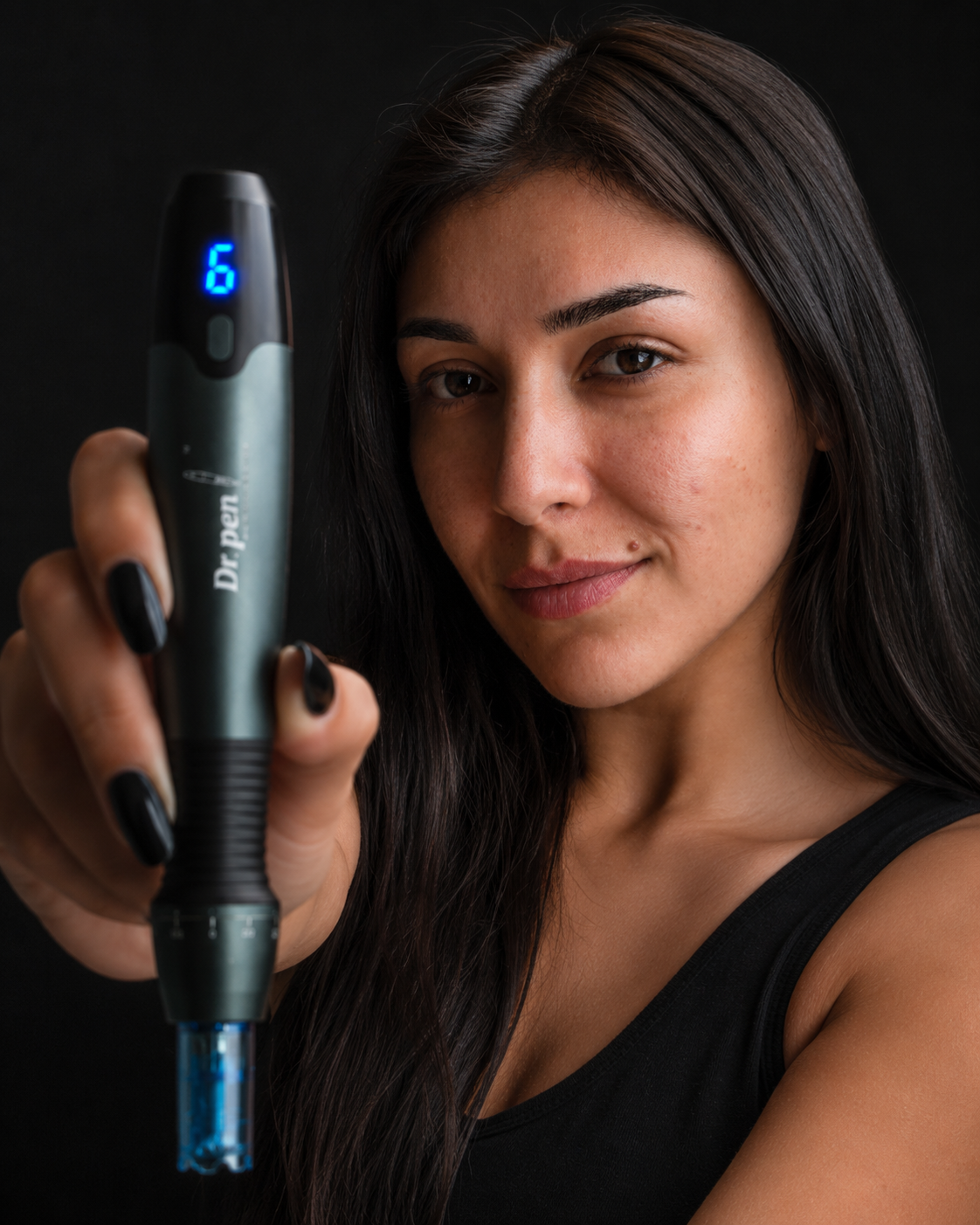
The Dr. Pen A20 Advanced Microneedling Pen for Professionals includes six adjustable speed levels, needle-depth control and an LED digital display. Those controls can support clear documentation, but they do not establish a safe setting for an individual patient.
The most useful dr pen tips distinguish a reproducible device setup from a treatment prescription. Record the selected controls and any changes made during treatment, but do not automatically reuse them at the next visit. For model-specific preparation, consult the Dr. Pen A20 setup guide alongside the supplied instructions.

7. Treat dragging or irregular operation as a reason to stop
Do not compensate for catching, unexpected resistance, unusual vibration or interrupted operation by pressing harder or increasing the setting. These symptoms can have different causes, including an incorrectly fitted or unsuitable cartridge, device problems or an inappropriate treatment approach.
Stop skin contact and follow the manufacturer’s troubleshooting instructions. Switch the pen off before checking its cartridge attachment. A suspected damaged cartridge should not be tested repeatedly against skin.
If the issue remains unresolved, set the device aside and contact support. Provide the model name, cartridge details, power status and a clear description of the problem. Those details are more useful than simply reporting that the pen “doesn’t feel right.”
8. Keep single-use cartridges genuinely single-use
A used needle cartridge should not be saved for another appointment, even for the same person. Rinsing, alcohol soaking or other home cleaning methods do not restore its original sterile condition or establish that the needles remain suitable.
Use a new sterile cartridge for each treatment session and follow the manufacturer’s replacement instructions during use. Dispose of used skin-puncturing cartridges in an appropriate sharps container, following local disposal requirements.
When applying dr pen tips to purchasing, plan for consumables rather than treating the pen as the only ongoing requirement. Keep enough compatible, in-date cartridges available so an unexpected packaging problem never becomes a reason to reuse one.
9. Agree on aftercare before treatment begins
Ask for a written aftercare plan that names suitable products, explains what to avoid and gives a contact route for concerns. “Use something hydrating” is not specific enough when different formulas contain very different ingredients.
Do not assume a cosmetic serum is appropriate for application during microneedling merely because it contains hyaluronic acid or is sold alongside a device. Product suitability and use through a disrupted skin barrier require separate consideration. Avoid introducing unapproved products or combinations into the procedure.
Some redness can occur after treatment, but worsening pain, increasing warmth, pus or spreading redness need medical assessment. Seek urgent medical care for fever, rapidly spreading redness or severe pain. Do not respond to a suspected complication by repeating treatment or adding more active skincare.
10. Keep a short, useful treatment record
A repeatable process needs more than a before-and-after photograph. Record enough detail to distinguish a device issue, a cartridge change, an aftercare reaction and an expected recovery pattern.
| Record | Useful details |
|---|---|
| Device and consumable | Exact pen model, cartridge type, lot number and expiry date |
| Selected controls | Settings used and any adjustments made by the clinician |
| Skin response | Observations during treatment and concerns reported afterward |
| Recovery plan | Products recommended, written restrictions and follow-up arrangements |
Take comparison photographs under similar lighting and camera distance, without filters. Images support review but do not replace a clinical assessment.
These dr pen tips are intended to make future decisions better informed, not to encourage progressively stronger sessions. If recovery is prolonged or results are disappointing, have the clinician review the plan rather than increasing intensity independently.
Frequently asked questions
Can I reuse a cartridge if I disinfect it? No. Single-use needle cartridges should not be reused, including on the same person. Cleaning or soaking does not restore validated sterility. Use a new sterile cartridge and dispose of the used one appropriately.
Are cartridges interchangeable across Dr. Pen models? Do not assume so. Compatibility must be confirmed for the exact model and cartridge. Similar appearance or the same pin count is not sufficient evidence that a cartridge fits or functions correctly.
Should every session use the same settings? No. A clinician should reassess the skin and treatment plan each time. These dr pen tips support consistent preparation and documentation, but consistency does not mean applying identical settings regardless of changing circumstances.
Can a serum make treatment cleaner or safer? A serum does not replace sterile consumables, device maintenance or proper hygiene. Do not assume a skincare product is suitable for use during microneedling; follow the device labeling and the treating clinician’s guidance.
Check compatibility before your next order
Start with your exact model, then confirm the replacement cartridge and its intended use. If you use an M8S, the M8S cartridge compatibility guide can help you review the available options before ordering. For an unresolved fit or authenticity question, contact Dr. Pen Store support with the model name and packaging details before opening or using the product.